Does Your Google Business Profile Help You Show Up in AI Answers?
Short answer: For Google's own AI (AI Overviews and AI Mode), yes, it can help. Google lists keeping your Business Profile up to date as a best practice. For ChatGPT, it's less clear. OpenAI says it may use trusted third-party providers for nearby business listings, but doesn't say who they are or name Google. Treat your profile as a strong foundation, not a magic switch.
Watch the video
Prefer to watch? Watch "Does Your Google Business Profile Help You Show Up in AI Answers?" on YouTube (5 minutes 29 seconds). The written guide below covers the same ground in more detail.
You've spent years building up your Google reviews. Now some customers are asking ChatGPT who to call instead. So does all that work still count, or are you starting again? It's a question we hear all the time at BeAutomated AI, and the honest answer depends on which AI you mean.
What is a Google Business Profile?
A Google Business Profile is your free listing on Google Search and Google Maps. It holds your business name, address, phone number, opening hours, photos, services and reviews. Google says profile information can come from you, from your website, from licensed third-party data and from people who use Google.
When we talk about "AI answers", we mean two different things:
- Google's own AI: AI Overviews and AI Mode inside Google Search.
- Separate AI tools: such as ChatGPT, which runs its own search features.
That difference matters, because the two don't treat your profile the same way.
Why it matters now
More people now ask an AI tool who to call, rather than scrolling a page of results. An AI answer often names just a handful of businesses, not a whole page of them. So it's worth knowing which signals those answers can draw on.
Does Google use your Business Profile in its AI answers?
Google's own guidance says yes, your profile can help. In its documentation on AI features and your website, Google lists "checking that your Merchant Center and Business Profile information is up-to-date" as a best practice. Its AI optimisation guide also says Business Profiles can help your products and services be visible in both AI responses and other Google Search results.
Google also says there are no special AI files, extra tags or special markup you need. It's the same basics that help you in normal search.
How Google ranks local results
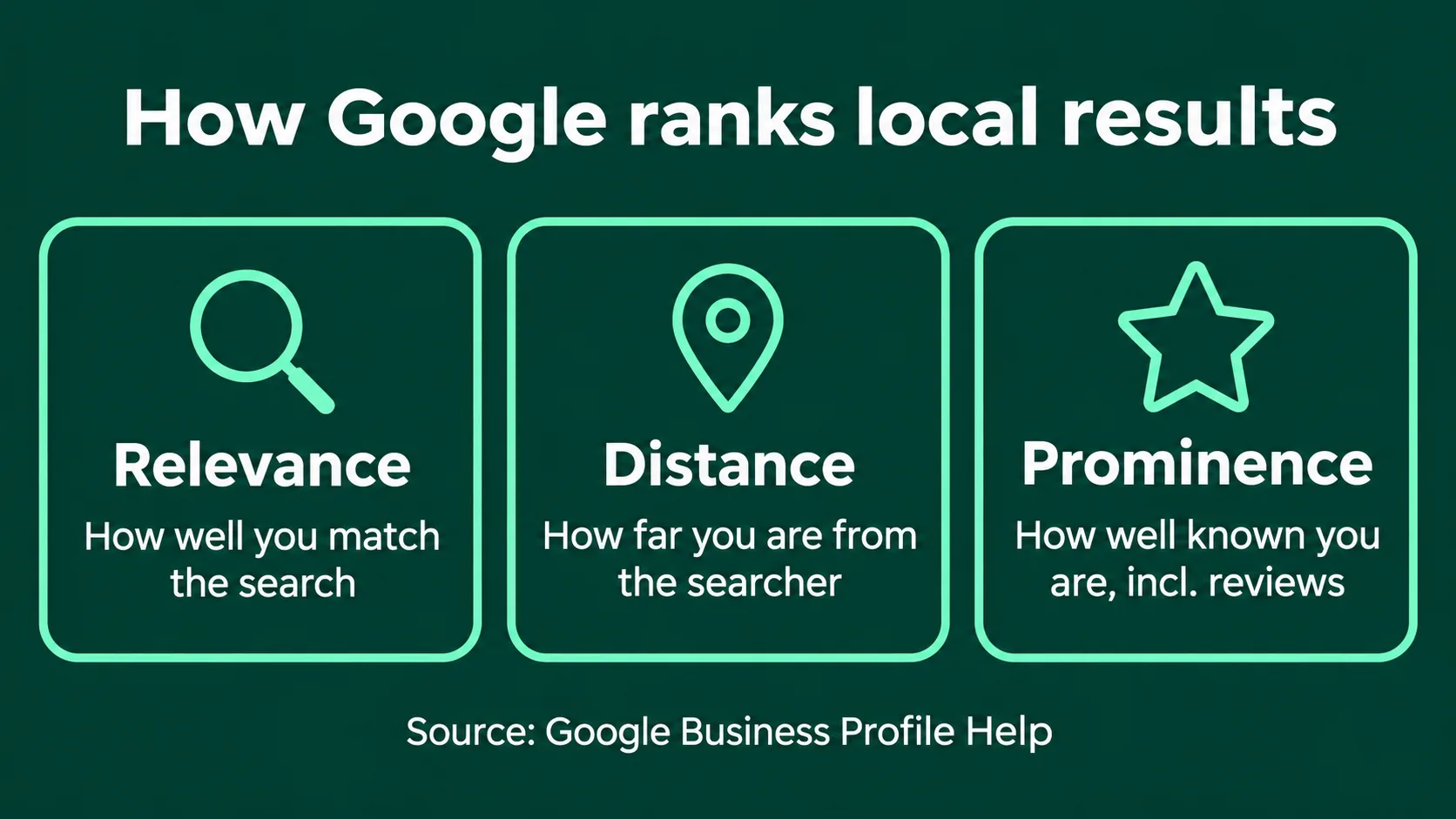
For local results, Google says it comes down to three things:
- Relevance: how well your profile matches what someone searched for.
- Distance: how far you are from the person searching (or the location in their search).
- Prominence: how well known your business is, which includes reviews and links from other websites.
Google says more reviews and positive ratings can help your local ranking. It also says there's no way to request or pay for a better local ranking.
Does ChatGPT use your Google Business Profile?
This is where people get confused, so here's what the official docs actually say.
- Third-party providers. OpenAI's help article on ChatGPT search says ChatGPT may share your location with "trusted third-party providers that help provide more local information, such as nearby business listings". It doesn't say who those providers are, and it doesn't name Google.
- Yelp. Yelp has announced that its business details and reviews can appear in ChatGPT's local answers. That comes from Yelp, not from OpenAI's own documentation.
- Testers' findings. Some independent testers have found ChatGPT's business details often match Google listings field for field. But OpenAI hasn't confirmed where those details come from.
So here's the safe takeaway. For ChatGPT, your Google profile might be one source among several. Your website and your other listings (Yelp, Bing Places, industry directories) matter a lot too.
The one setting that could hide you from ChatGPT
OpenAI's crawler documentation says sites that opt out of its search crawler, OAI-SearchBot, won't be shown in ChatGPT search answers, though they can still appear as navigational links. If your website's robots.txt blocks OAI-SearchBot, ChatGPT's search features won't show your site in its answers.
Here's what a block looks like in robots.txt:
User-agent: OAI-SearchBot
Disallow: /
And here's what allowing it looks like:
User-agent: OAI-SearchBot
Allow: /
Your web person can check this in a couple of minutes.
The good news? The work you've already put into your reviews isn't wasted. It's a foundation. The checklist below is about building on it, so both Google and AI can see the full picture.
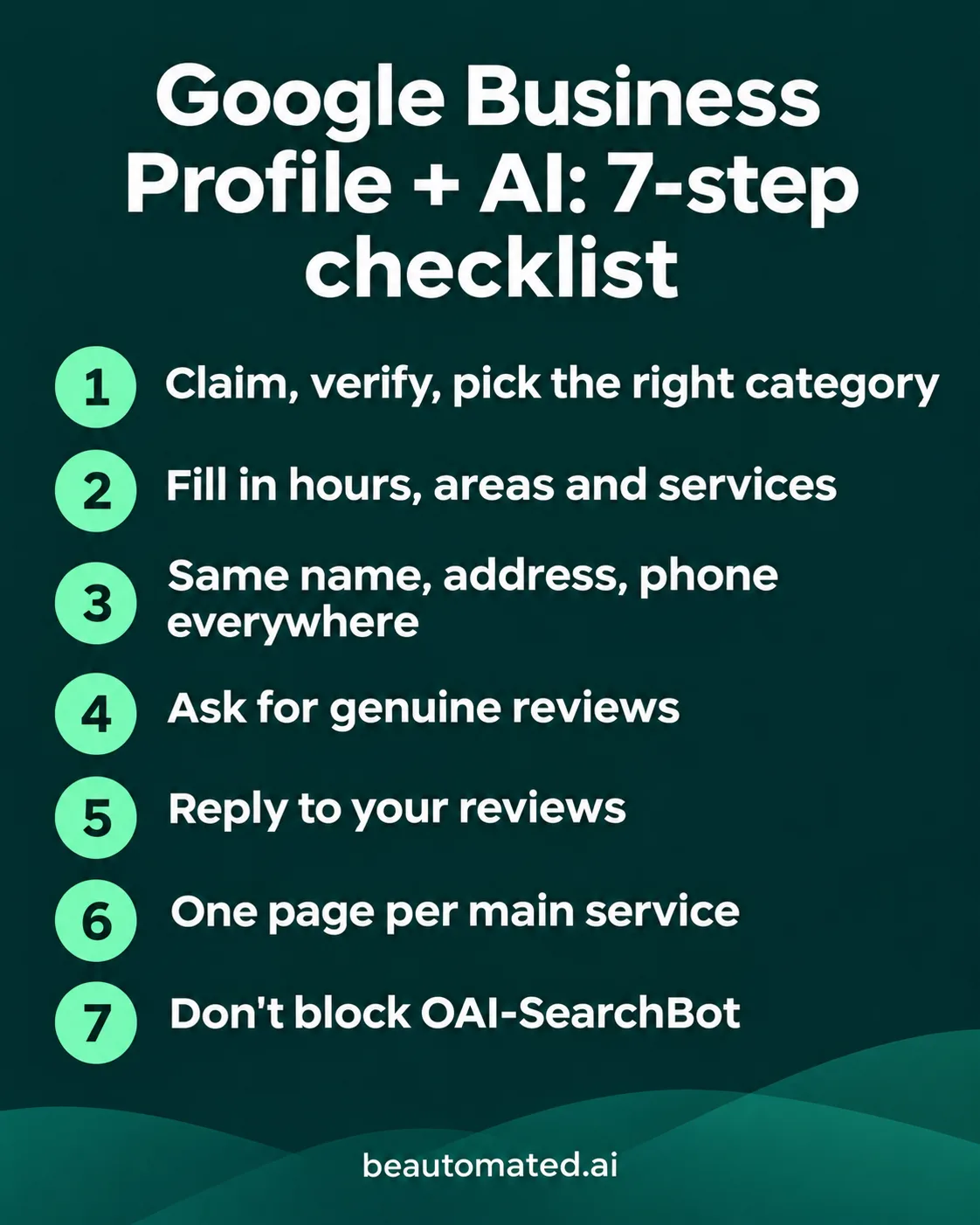
A simple seven-step checklist
- Claim and verify your Business Profile. Then pick the most accurate main category for what you really do.
- Fill in everything. Hours, holiday hours, service areas, and each service listed on its own.
- Keep your details identical everywhere. Same business name, address and phone on your website, Yelp, Bing Places and your industry directories.
- Ask happy customers for genuine reviews. It helps to ask them to mention which service they had. Never write reviews for them, and never fake them.
- Reply to your reviews. It shows you're active, and it gives people more to read about you.
- Give every main service its own page on your website. Say what you do and where, in plain words, near the top.
- Make sure your website isn't blocking OAI-SearchBot. Check your robots.txt, or ask your web person to.
How do you know if it's working?
Start with your Business Profile performance stats: calls, direction requests and website clicks. They show whether people who find your profile are taking action.
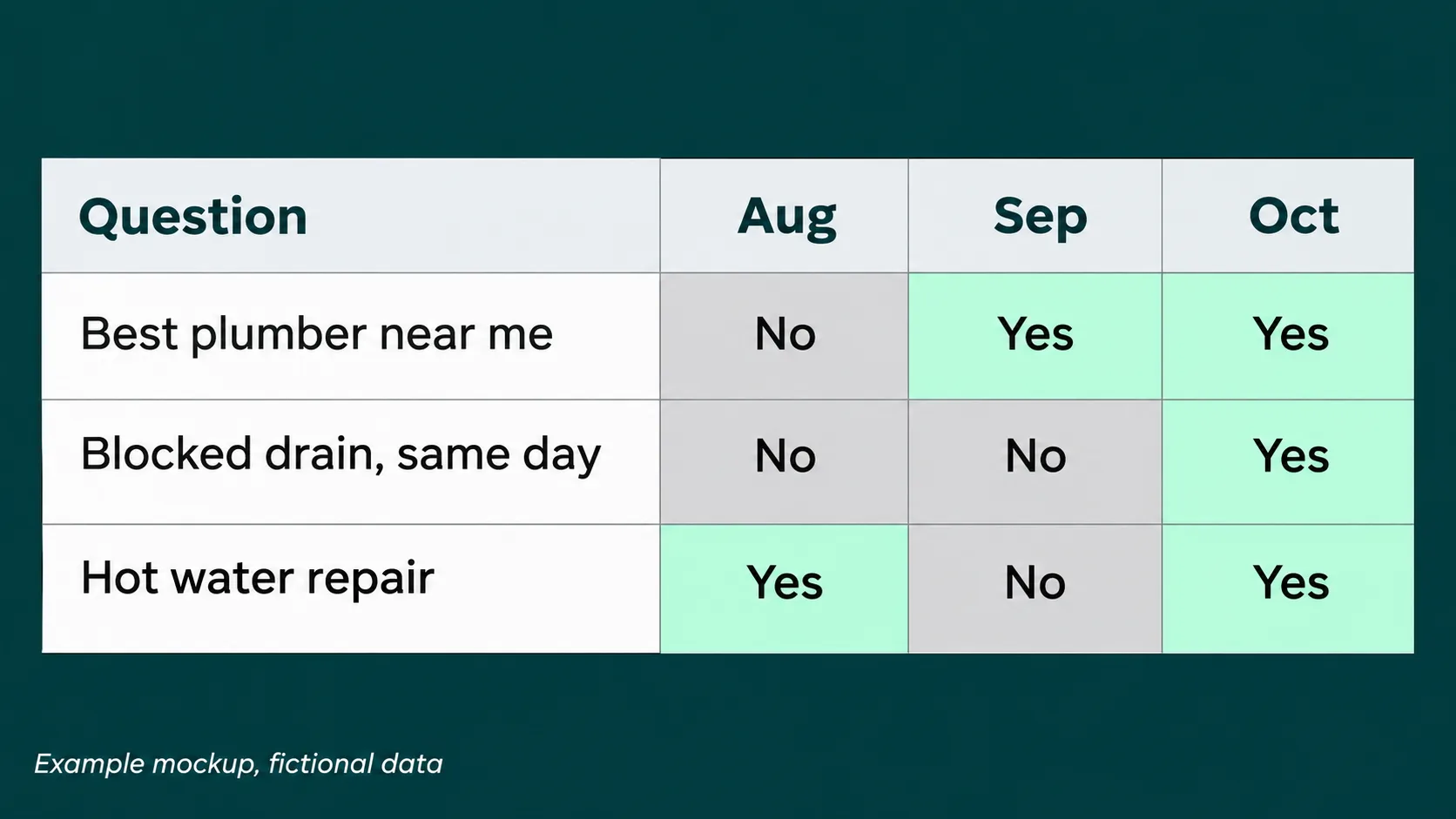
Then make a list of ten questions your customers really ask. Things like "Who's the best plumber near me that can come today?" Ask them in Google's AI Mode and in ChatGPT once a month, a few times each.
AI answers change from one run to the next, so track how often you're named, not your position. A simple spreadsheet does the job.
Key facts (checked on 3 November 2026)
| Claim | What the source says | Source |
|---|---|---|
| Business Profile helps Google's AI | Lists keeping Business Profile info up to date as a best practice for AI features | Google Search Central, "AI features and your website" |
| No special AI files needed | No additional technical requirements or special AI markup | Google Search Central |
| Local ranking factors | Relevance, distance and prominence; no way to pay for a better local ranking | Google Business Profile Help |
| ChatGPT local listings | May share location with "trusted third-party providers" for nearby business listings; providers not named | OpenAI Help Center, ChatGPT search |
| OAI-SearchBot | Sites opted out won't be shown in ChatGPT search answers, but can still appear as navigational links | OpenAI crawler documentation |
| Yelp and ChatGPT | Yelp says its business data and reviews can appear in ChatGPT's local answers | Yelp announcement (Aug 2026), not OpenAI |
The honest truth
Your Google Business Profile isn't a magic switch for AI. Nobody can promise ChatGPT or Google will name your business. But a complete, accurate profile, backed by a clear website and consistent listings, gives AI more reasons to trust you. Start with one step from the checklist this week, even just replying to your latest reviews.
Frequently asked questions
Does Google use my Business Profile in AI Overviews and AI Mode?
Google's guidance says keeping your Business Profile information up to date is a best practice for its AI features, and that Business Profiles can help you be visible in AI responses and other search results. It doesn't promise your business will be named in any specific answer.
Does ChatGPT use my Google Business Profile?
OpenAI hasn't said so. Its help article says ChatGPT may use trusted third-party providers for nearby business listings, but it doesn't name them or name Google. Some testers have found matching details, but that isn't officially confirmed.
Where does ChatGPT get local business information from?
OpenAI says ChatGPT search can work with third-party search providers and local data providers, and it can read websites that allow its OAI-SearchBot crawler. Yelp has announced its listings and reviews can appear in ChatGPT. Your own website and other listings are likely part of the picture too.
Do Google reviews help me show up in AI answers?
On Google, reviews feed into prominence, and Google says more reviews and positive ratings can help local ranking. For ChatGPT, reviews on your profile and other sites may help it understand your business, but nobody can promise a result. Always keep reviews genuine.
What should I fill in on my Business Profile?
Everything that applies: the most accurate main category, hours and holiday hours, service areas, each service listed separately, photos, phone, website and a clear description. Keep it all identical to your website and other listings.
Should I also set up Bing Places, Yelp and directories?
It's a sensible step. ChatGPT may draw on several sources, and consistent details across your website, Yelp, Bing Places and industry directories make it easier for any AI tool to trust what it finds about you.
How do I check if it's working?
Watch your Business Profile performance stats (calls, direction requests, website clicks). Then ask ten real customer questions in Google's AI Mode and ChatGPT once a month, a few times each, and track how often you're named rather than your position.